


ReelShort - Stream Drama & TV
3.851.10K Reviews
App Specs
- Version
- 4.2.00
- Updated On
- License
- Free
- Downloads
- 100,000,000+
- Developer
- NewLeaf Publishing
- Categories
- Entertainment
- Platform
- Android, iOS
Screenshots
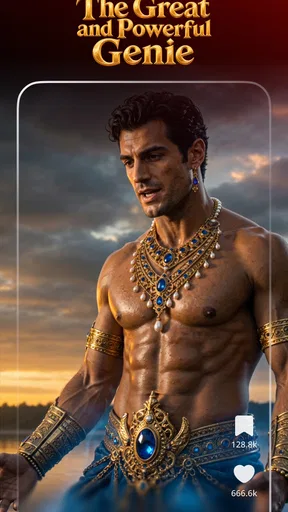
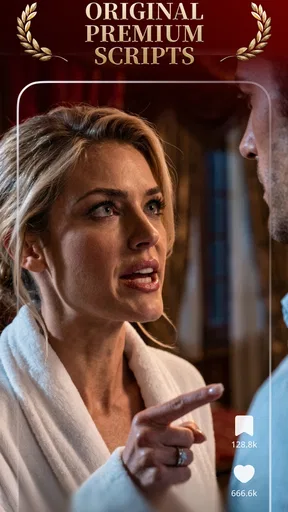
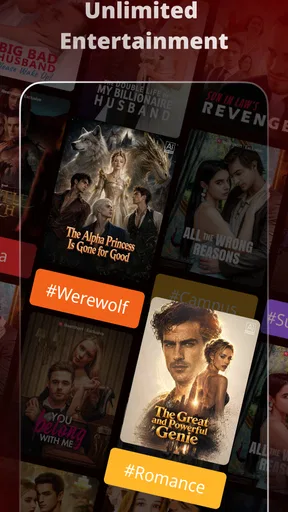
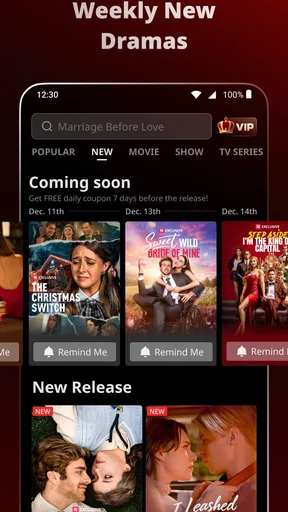
 Analysis by AppCompare
I reach for short-form drama when I want a story but don’t have the time or attention for a long episode. That is the appeal of ReelShort - Stream Drama & TV: it breaks its entertainment into brief installments, making it easier to fit a fictional cliff-hanger into a spare moment. I see it less as a replacement for a full TV service and more as a focused option for people who enjoy melodrama in small doses.
What the free starting point does—and doesn’t—tell you
NewLeaf Publishing makes this entertainment app free to download, and ReelShort has in-app purchases listed from $0.49 to $199.99 per item. That gives a useful boundary for thinking about cost, but it does not tell me what a particular purchase unlocks or how much viewing I would get from it. I would treat the free entry point and the paid options as separate decisions: try the app first, then consider spending only if its stories and viewing rhythm suit you.
That distinction matters because “free” can describe access to an app without answering whether every episode or title is available without payment. Before buying anything, I’d check the current in-app price and what it applies to, rather than assuming a purchase is a subscription or that it covers the whole catalog. The listed range is broad, so I would avoid tapping through a purchase screen casually. If you are setting up the app for a younger viewer, keep the Teen content rating in mind and make sure they understand that paid items can appear inside a free app.
Quick Entertainment Fix
In today’s fast-paced world, finding time to indulge in a complete TV series can be a real challenge. That’s where ReelShort comes in handy. The app offers a variety of short-form dramas that are perfect for squeezing in during a coffee break or a quick commute. Each episode is designed to be concise, keeping you entertained without dragging on.
Why the short-episode format works
The format changes how I choose what to watch. With a conventional series, I might hesitate to start an episode if I only have a few minutes. Here, a short installment makes it easier to sample a premise and decide whether its characters or conflict have caught my interest. The trade-off is that a sequence of brief episodes can encourage “one more” viewing: a scene ends at a tense moment, and the next installment feels like the quickest way to get an answer. I’d use a natural stopping point—such as finishing a planned break—rather than letting a cliff-hanger decide how long I stay on the app.
A practical routine is to pick one show before opening the app, then watch only during a predictable pocket of free time, such as while lunch is heating or while waiting for an appointment. That keeps the compact format useful instead of turning a short pause into a longer viewing session. If you like to follow several plots at once, it may help to stick with one story at a time; frequent switching can make fast-moving character relationships harder to keep straight.
Easy Navigation and Diverse Content
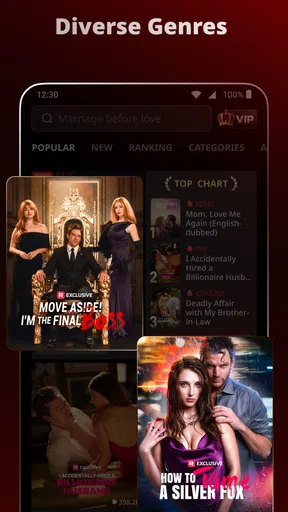
Let’s talk about the app interface—it’s super user-friendly! I mean, even if you're not the most tech-savvy person, you’ll find it a breeze to navigate through. The layout is intuitive, with categories neatly organized so you can easily discover new shows based on your mood or interest.
Worth Reading Before You Choose

Flipboard Shows What News Apps Must Do Beyond the Feed

Switching to Android Auto Means Rethinking Your Driving Routine

Google Calendar Makes a Crowded Week Easier to Manage

Ludo King Makes the Most of the Minutes Between Plans

Baby Panda World Brings Quick Play to Modern Phones, but Its Game Library Feels Busy

ESPN’s Live Game View Makes Following Close Games Easier
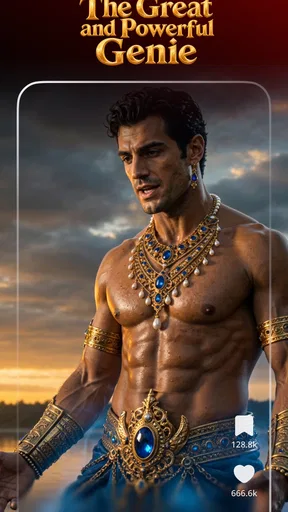
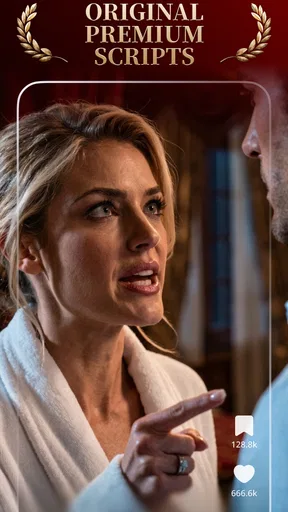
The content is pretty diverse too. From romantic dramas to thrilling mysteries, there’s something for everyone. You can tell that a lot of thought has gone into curating the shows available on the app. It’s like having your personal, pocket-sized TV network.
For me, browsing works best when I treat genre labels as a starting filter rather than a guarantee that a show will match my taste. A romance can lean heavily on suspense, while a mystery may be more about relationships than solving a puzzle. I’d watch enough of an opening to judge the tone before investing in a longer run. This is also where ReelShort differs from a general streaming catalog: it is oriented around short dramas, not a broad mix of long episodes, films, and unrelated entertainment. If I want a feature-length movie or a carefully paced, traditional series, I’d pick a standard video service instead.
Stream Anytime, Anywhere
One of the coolest things about ReelShort is its flexibility. You don’t need to be glued to your couch or rely on a stable Wi-Fi connection. The app allows offline downloads, which means you can download episodes to watch when you’re on the go. Whether you're waiting in line or taking a break at work, you can dive into a story without using up your data.
Offline viewing is especially useful when I know in advance that I’ll have a stretch without a dependable connection. I’d download what I plan to watch while I’m on Wi-Fi, then check that the episodes are ready before leaving; that small habit avoids discovering a connection problem when I’m already on a train or in a waiting room. Downloads are a convenience, not a reason to assume every title is available offline, so I’d confirm the option on the episodes I actually want. If I’m only stepping out briefly, streaming may be simpler than preparing a queue.
A realistic example is a commute with an unpredictable signal. I can prepare a few installments before leaving home, watch one or two during the ride, and stop when I arrive without needing to find my place in a long episode. For a driver, the sensible use is to watch only when safely parked or as a passenger; the short format does not make watching while driving any less distracting. At work, I’d also save it for a break rather than trying to follow a plot while handling tasks.
Subscription and Accessibility
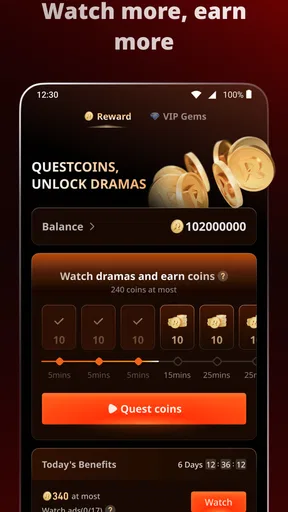
Now, let’s touch on the subscription model. While the app is free to download, there are in-app purchases and a premium subscription option that unlocks additional content and removes ads. If you’re someone who prefers an uninterrupted viewing experience, you might want to consider going premium.
Overall, the pricing is competitive, and given the quality of the content, it’s worth every penny if you ask me. Plus, the app is available on both Android and iOS, making it accessible to just about everyone.
I’d be more cautious about judging value in advance: the listed purchase range runs from $0.49 to $199.99 per item, and what feels worthwhile depends on what is offered at the point of purchase and how often I use it. I would first establish whether I enjoy the app’s particular style of rapid, serialized storytelling. If I only open it occasionally, paying to remove interruptions or access more content may not make sense; for a regular viewer who has found several stories they want to continue, a paid option may be more appealing. I’d compare the actual in-app terms before deciding, since the presence of a premium option alone does not tell me which choice is best for my habits.
ReelShort is rated for Teen audiences. That makes it a consideration for families, but it is not a substitute for checking whether an individual story feels suitable for a particular young person. I would browse together at first if age-appropriate viewing is important, and I’d discuss in-app purchases before handing over a device. The app is free to download, but that should not be confused with a promise that every viewing choice is free.
The app has an average rating of 4.3 from around 1.3 million ratings, with roughly 39,000 written reviews, and it has passed 100 million installs. Those figures suggest that many people have tried it, but they cannot tell me whether I will enjoy the writing, pacing, or genres. I’d use the free download as a low-commitment way to test those things rather than treating popularity as a personal recommendation.
ReelShort was released on August 10, 2022, and its current version is 3.4.20, with Android 6.0 as the minimum operating system. The app is also available for iOS. If I’m using an older Android phone, I’d check compatibility before planning a viewing session; for any device, keeping the app updated is a sensible way to avoid relying on an outdated version.
Who is likely to get the most from it?
I’d recommend trying it if you enjoy heightened romance, mystery, and other dramatic plots, and you often have short gaps in your day rather than a quiet evening for a full episode. It may suit someone who wants a clear, contained viewing choice for a commute, a lunch break, or a few minutes of downtime, especially when offline preparation is useful. The key question is whether you enjoy stories delivered in quick installments; the format is the point, not merely a shorter way to watch conventional television.
I’d skip it—or keep it as a secondary app—if you prefer slow-burn storytelling, long scenes, films, or a wide-ranging library where drama is only one part of the selection. It may also be a poor fit if cliff-hangers make it difficult for you to stop, or if you want to know the exact cost of continuing a specific show before you begin. In that case, a service with a familiar subscription structure or a clearly priced rental may be easier to budget for.
My buy-or-skip verdict
My advice is to download ReelShort only if its short-drama format genuinely appeals to you, then spend a little time sampling the kinds of stories you would actually watch. The free download makes that first test straightforward, while the in-app purchase range is a reason to make deliberate choices rather than assume that paid access will automatically be good value. I wouldn’t buy simply because a story ends on a cliff-hanger; I’d decide after considering how much I want to continue and what the app is asking me to pay.
So, there you have it—a sneak peek into what makes ReelShort - Stream Drama & TV a go-to app for drama lovers. If short, gripping episodes sound like your kind of thing, give it a go. Who knows, it might just become your favorite way to unwind!
Pros
- Wide variety of short dramas available.
- User-friendly interface for easy navigation.
- High-quality streaming with minimal buffering.
- Regular updates with new content added.
- Option to download episodes for offline viewing.
Cons
- Limited genres beyond drama and TV.
- Ads can be intrusive during viewing.
- Requires a subscription for full access.
- Not available in all regions globally.
- No option for casting to TV or larger screens.
FAQs for ReelShort - Stream Drama & TV
What is ReelShort and how does it work?
ReelShort is a streaming app offering a variety of drama and TV content in bite-sized episodes. Designed for viewers on the go, it delivers a unique streaming experience by breaking traditional TV shows into short segments. Users can easily browse through genres, select episodes, and enjoy content without the need for lengthy time commitments.
Is ReelShort free to use or does it require a subscription?
ReelShort offers both free and premium subscription options. The free version includes access to a selection of shows with advertisements. For an ad-free experience and access to exclusive content, users can opt for a monthly or annual subscription. Pricing details can be found within the app or on the official website.
What types of content are available on ReelShort?
ReelShort features a diverse array of dramas, comedies, and reality TV shows. The app focuses on delivering engaging and concise content that fits into a busy lifestyle. Users can explore different genres and discover new series regularly updated to keep the experience fresh and exciting.
Can I download episodes to watch offline on ReelShort?
Yes, ReelShort allows users to download episodes for offline viewing, a feature particularly beneficial for those with limited internet access or who want to watch content during travel. Users can select and download episodes within the app and access them later without an internet connection.
Is ReelShort compatible with all devices?
ReelShort is available for both Android and iOS devices. It is optimized to run smoothly on smartphones and tablets, ensuring a seamless viewing experience across various platforms. Users should ensure their device meets the app's minimum system requirements for optimal performance.


